

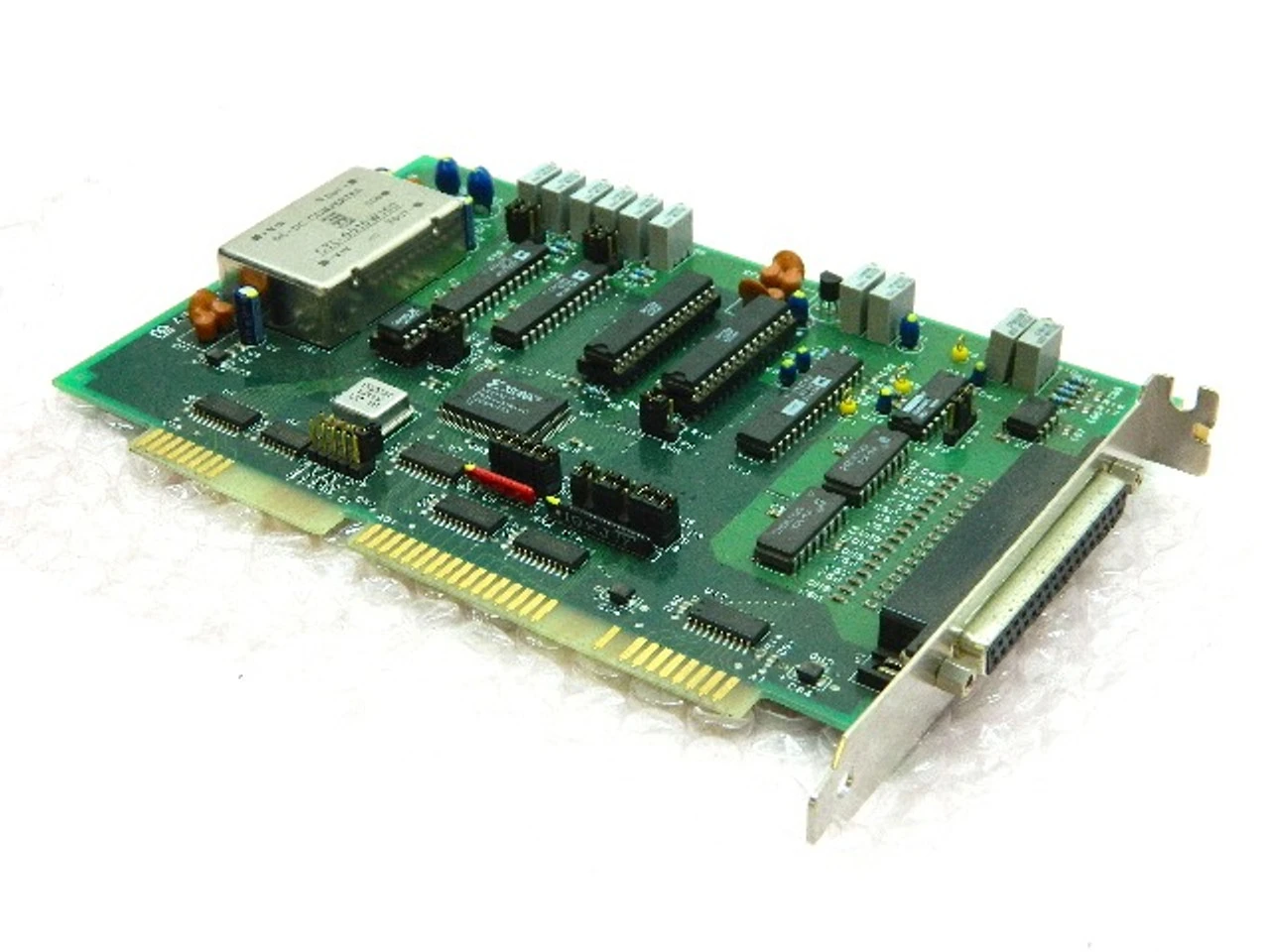
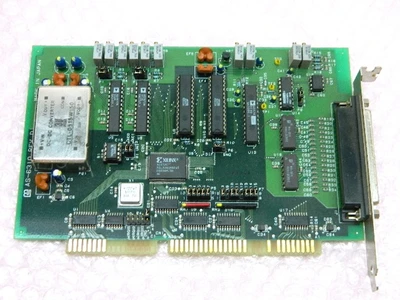
MIS AS-6310 Rev. D Non-Isolated Analog Input and Output Card Yamashita Systems
MIS AS-6310 Driver Tool (for DOS, Win95 / 98, MIS WinNT)
- is a driver tool for the AS-6310
non-isolated analog input and output card of Yamashita Systems. You can develop an
application that controls the AS-6310 uses this tool from DOS and Win95 / 98, WinNT.
In addition to input and output of a simple analog data by function the driver
tool \provides, you can event processing using a periodic operation or interrupt using
pacer clock. Driver interface DOS, Win95 / 98, WinNT and are both designed with a
common specification, has become a simple yet powerful interface.
For Win95 supports 95 / OSR2 / 98.
For DOS driver
Driver for Win95
Driver for WinNT
DOS / Win95 / WinNT shared application development environment
Driver [DOS]
-Resident driver as6310.exe
Driver [Win95]
32bit DLL / 32bit VxD driver
AS-6310 32bit DLL driver as6310.dll
MIS I / O interface DLL mioif.dll
AS-6310 VxD hardware control driver as6310.vxd
MIS I / O common VxD driver mvcomd.vxd
Driver [WinNT]
32bit DLL / 32bit Kernel driver
AS-6310 32bit DLL driver as6310.dll
MIS I / O interface DLL mioif.dll
AS-6310 Kernel hardware control driver as6310.sys
MIS I / O common Kernel driver mvcomd.vxd
Available development environment
Compile possible environment C language environment / Visual Basic environment
Borland C ++ 3.0 / 4.5 / 5.0 Visulal C ++ 1.0 / 4.0 / 5.0
Confirmed in Visual Basic 4.0 / 5.0 Watcom C / C ++ 11.0 Symantec C ++ 7.2
How to Use
C driver access library header as6310.h include
Embed the Visaul Basic mioif.bas
Package MIS AS-6310 Driver Tool Ver 2.10 (mio ver 2.10)
Driver Setup Disk
How to install
Run mount INSTALL.BAT the setup disk to FD
A: \> INSTALL
Installation default C: \ mioDev
Specify the directory to the parameters of the case INSTALL batch you want to
change.
A: \> INSTALL directory
Development environment shared with multiple cards
MIS I / O card driver can be shared in the development environment. When you install a
new tool, already check the version of MIS I / O card driver development environment
that is installed (mio ver X.XX), version will be added to the development environment
of the new card in case the same.
Ñ version history
ver 2.00 DOS / Win95 / WinNT driver tool (first edition)
ver 2.01 improvement of the share during the installation process of the
development environment and other card
ver 2.10 accompanied by the revision in version Fix
+ -------------------- +
| FD file structure |
+ -------------------- +
\
Introduction README.TXT
INSTALL.BAT installation batch file
+ - DOC online documentation
MANUAL.TXT driver tool manual (TXT file)
+ - DOS DOS for drivers and sample
AS6310.EXE AS-6310 DOS driver
TST6310.EXE AS-6310 operation check program
CABIO.EXE AS-6310 calibration program
(Built with Borland C ++ 3.0)
+ - SAMPLE sample program environment
TST6310.C operation check program source file
CABIO.C calibration program source file
+ - (Confirmed in BC ++ 3.0 / 4.5) BC Boarland C ++ for the build environment
+ - (Confirmed in VC ++ 1.0) MSC MSC / Visual C ++ for the build environment
+ - WIN95 driver for Win95
AS6310.DLL AS-6310 Win95 DLL drivers
AS6310.VXD AS-6310 Win95 VxD driver
MVCOMD.VXD MIS I / O common Win95 VxD driver
+ - WINNT WinNT for drivers
AS6310.DLL AS-6310 WinNT DLL driver
AS6310.SYS AS-6310 WinNT Kernel driver
MNCOMD.SYS MIS I / O common WinNT Kernel driver
+ - WIN95NT Win95, WinNT for the common driver and sample
MIOIF.DLL MIS I / O interface DLL
TST6310.EXE AS-6310 operation check program
CABIO.EXE AS-6310 calibration program
(Built with Borland C ++ 4.5)
VBSAMPLE.EXE VisualBasic version AS-5130 sample program
(Built with Visual Basic 4.0)
+ - SAMPLE sample program environment
TST6310.C operation check program source file (DOS version of the same)
CABIO.C calibration program source file (DOS version of the same)
VBSAMPLE VB version of the sample access program (for VisualBasic4.0)
VBSAMPLE.VBP VisualBasic4.0 project file for
VBSAMPLE.FRM VisualBasic4.0 program source file
+ - H development include files
Route include file for AS6310.H AS6310
MIOIF.BAS MIOIF.DLL access VisualBasic module
Other * .H various header include
+ - BIN Installation Tools
Used only during installation
+ ---------------------- +
| Installation configuration |
+ ---------------------- +
C: \ mioDev
+ - H development include files
+ - AS6310
+ - DOC online documentation
+ - DOS DOS for drivers and sample
+ - WIN95NT Win95 / NT common sample
+ ---------------------- +
| Installation operation example |
+ ---------------------- +
A: \> install
***********************************************
* MIS AS-6310 Analog In / Output Card *
* I / O Driver Tool for DOS / Win95 / WinNT *
* Installer *
* Yamashita Systems Corp. *
* Ver 2.01 (mio 2.02) *
* Jul 1999 *
***********************************************
OS is [Win95] * 1
======= Install Driver Tool =======
Driver Tool Directory is [C: \ mioDev] * 2
Install Driver Tool Ok? [Y / N / Q] y * 3
Copy Driver Tool Files ...
Copy End.
Install Driver Tool End.
======= Install Win95 Drivers ======= * 4
Windows Directory is [C: \ WINDOWS]
Install Windows Drivers Ok? [Y / N / Q] y
Install Drivers End.
* 1 DOS / Win95 / WinNT result of the determination of the three types is
displayed. Win98 / OSR2 it will be Win95.
* 2 tool installation of it is possible to vary specified when you call the
install batch.
install d: \ mydir
* The 3 Yes / No / Quit I specified in y n q. Skip operation in the case of No,
in the case of Quit it will be to specify the end behavior.
* 4 In the case of DOS has no installation phase of Driver.
* If you already that the development environment of the other card is
installed appears that Sokusu attention.
+ ---------------------- +
| Sample Program |
+ ---------------------- +
AS-6310 operation check program tst6310.exe
It is a check program to verify together the operation of the AS-6310 card and
driver. OK if you do not become the I / O address settings, please check the settings of
the interrupt again.
DOS for as6310 \ dos \ tst6310.exe Win95 / WinNT for as6310\win95nt\tst6310.exe
DX4 / 100 on the machine
C: \ MIODEV \ WIN95NT> tst6310
AS6310 Self Test (Card: 1) Start
Enter Port Addr (Hex): 188 <--- input
Enter IRQ No (Dec): 15 <--- input
Open Driver .. Success
Initialize Time Measuring .. Success
Locate Card .. Success
Port / IRQ Resource .. Port: 0x0188h-0x018fh Irq: 15
Analog Access Test
Analog Input Unit 1
Channel Count = 16
Gain = 1 Range (mV) = -10000 <-> 10000
Ain Unit Channel 0 Input Time 29 usec - 366 usec * 1
Ain Unit Channel 0 Input Data 0xee72 - 0xee7c
Ain Unit All Channels (Ch0-15) Input Time 455 usec - 741 usec
Analog Output Unit 1 * 2
Gain = 1 Range (mV) = -10000 <-> 10000
Aout Unit Output Time 6 usec - 1479 usec * 3
Analog Output Unit 2
Gain = 1 Range (mV) = -10000 <-> 10000
Aout Unit Output Time 6 usec - 465 usec * 3
Success
Interrupt Test
Waitting Interrupt use mHintWaitTrigger ()
Interrupt Response time 122 usec - 454 usec * 4
(With triger and A / D conversion time)
Success
Close Driver .. Success
AS6310 Self Test OK
* 1 over a trigger in Ch 0 is the time of min / max of up to capture the data.
* 2 over a trigger in Ch 0-15 This is the time of min / max of up to capture the
data.
* 3 This is the min / max of the execution time of the analog output function.
* 4 This is the time of the min-max up to Ch0 over a trigger in undergo a
conversion ends with interrupt.
OS of intervention (interrupt, task switch) increases the execution time by.
Please maximum value designing a practical system based that contain that time.
(Note) The specified IRQ No is required that has been assigned to the ISA bus.
Please be assigned to the ISA bus in the BIOS setup screen of system startup.
Example) In the case of AS-3240
PNP / PCI CONFIGURATION
IRQ-15 assinged to: Legacy ISA <---- I want to available IRQ 15 in the ISA.
AS-6310 calibration program cabio.exe
It is a program that performs the analog data input and output of the AS-6310.
So you can view the bit string itself, which converts the analog data when
combined with high-precision voltage source you can make a check and adjustment of the
accuracy and the like.
DOS for as6310 \ dos \ cabio.exe Win95 / WinNT for as6310 \ win95nt \ cabio.exe
C: \ MIODEV \ WIN95NT> cabio
AS6310 Calibration (Card: 1) Start
Enter Port Addr (Hex): 188 <--- input
Open Driver .. Success
Locate Card .. Success
Port / IRQ Resource .. Port: 0x0188h-0x018fh Irq: -1
Card Calibration Program for AS-6310
[1] Output Aout 1 (0x0000)
[2] Output Aout 2 (0x0000)
[3] Calibration Ain
[4] Set Ain Gain (1)
[0] Quit
Select Operation: _ <--- input
I data output to 1 analog output 1. And set a 16bit Hex data * 1
I data output to the two analog output 2. And set a 16bit Hex data * 1
3 converts all channels of analog input and display.
4 you will set the gain of the analog input. (1/2/4/8)
You'll end 0 program.
* 1 output data just set in the register. Please check the setup manual is
actually how it would be converted into a voltage.
Analog Input Calibration
Gain: 1 Range (mV): -10000 <-> 10000
Last 3bits are ignored for Decimal conversion
CH00: 1110 0001 0001 1111 -2.41455 [V]
CH01: 1110 0000 0110 1010 -2.46826 [V]
CH02: 1110 0001 0101 1100 -2.39502 [V]
CH03: 1110 0010 0010 1111 -2.33154 [V]
CH04: 1110 0100 0000 0011 -2.18750 [V]
CH05: 1110 0001 1010 0101 -2.37305 [V]
CH06: 1110 0100 0011 0010 -2.17285 [V]
CH07: 1110 0110 0100 1000 -2.00928 [V]
CH08: 1110 0100 1000 1001 -2.14600 [V]
CH09: 1110 0011 1110 1110 -2.19482 [V]
CH10: 1110 0010 0011 0100 -2.32910 [V]
CH11: 1110 0011 0010 0011 -2.25586 [V]
CH12: 1110 0001 0111 0110 -2.38770 [V]
CH13: 1110 0000 0110 1110 -2.46826 [V]
CH14: 1110 0010 0010 1011 -2.32910 [V]
CH15: 1110 0000 1011 1101 -2.44385 [V]
* The 16bit data of analog input itself is displayed in the bit string.
* The values ÛÜÛÜare calculated values, including the range and gain a lower 3bit
as 0 from the converted data.
* In the case of differential input will be 8ch display.
| Weight | 2.00 LBS | 2.00 LBS |
SKU: IP5196
UPC: 646412779600
Condition: Refurbished
Availability: In Stock
Weight: 2.00 LBS
Width: 12.00
(in)
Height: 9.00
(in)
Depth: 10.00
(in)
Shipping: Free Shipping
Type: Analog Input Output Card
MPN: AS-6310
Model: AS-6310
Shelf: File Cab 2-3
Revision: D
Manufacturer: MIS
Country/Region of Manufacture: Japan
GTIN: 646412779600
Part Number: AS-6310